Displaying Trunk Groups
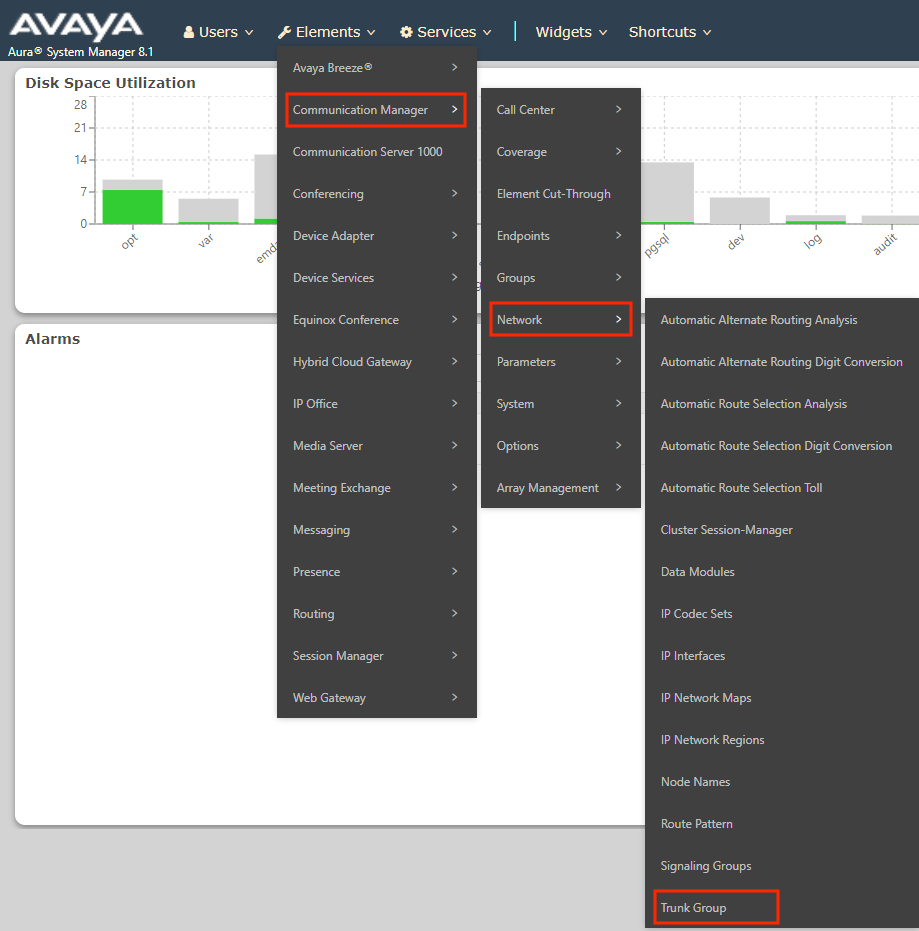
1Log into Avaya System Manager and navigate to: Elements → Communication Manager → Network → Trunk Group
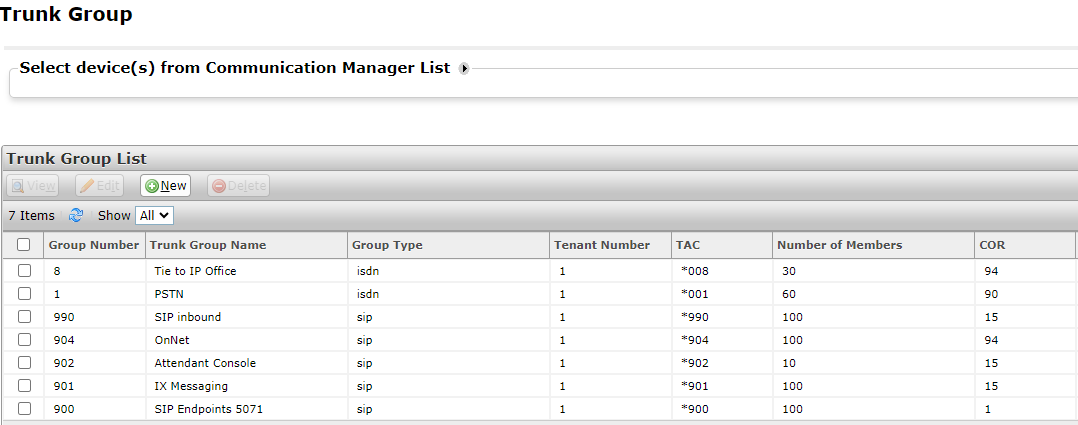
2This will display the Trunk Group List, including Group Number, Type, TAC (trunk access code), Number of Members, and the COR.